

Dining room, POS and kitchen

A dining room where table, kitchen and register talk to each other.

The waiter takes the order on a tablet, the kitchen sees it instantly and the register charges without redoing the math. The guest can also order from the QR at the table.

  • 0% commission per order
  • No special hardware
  • Ready in a day
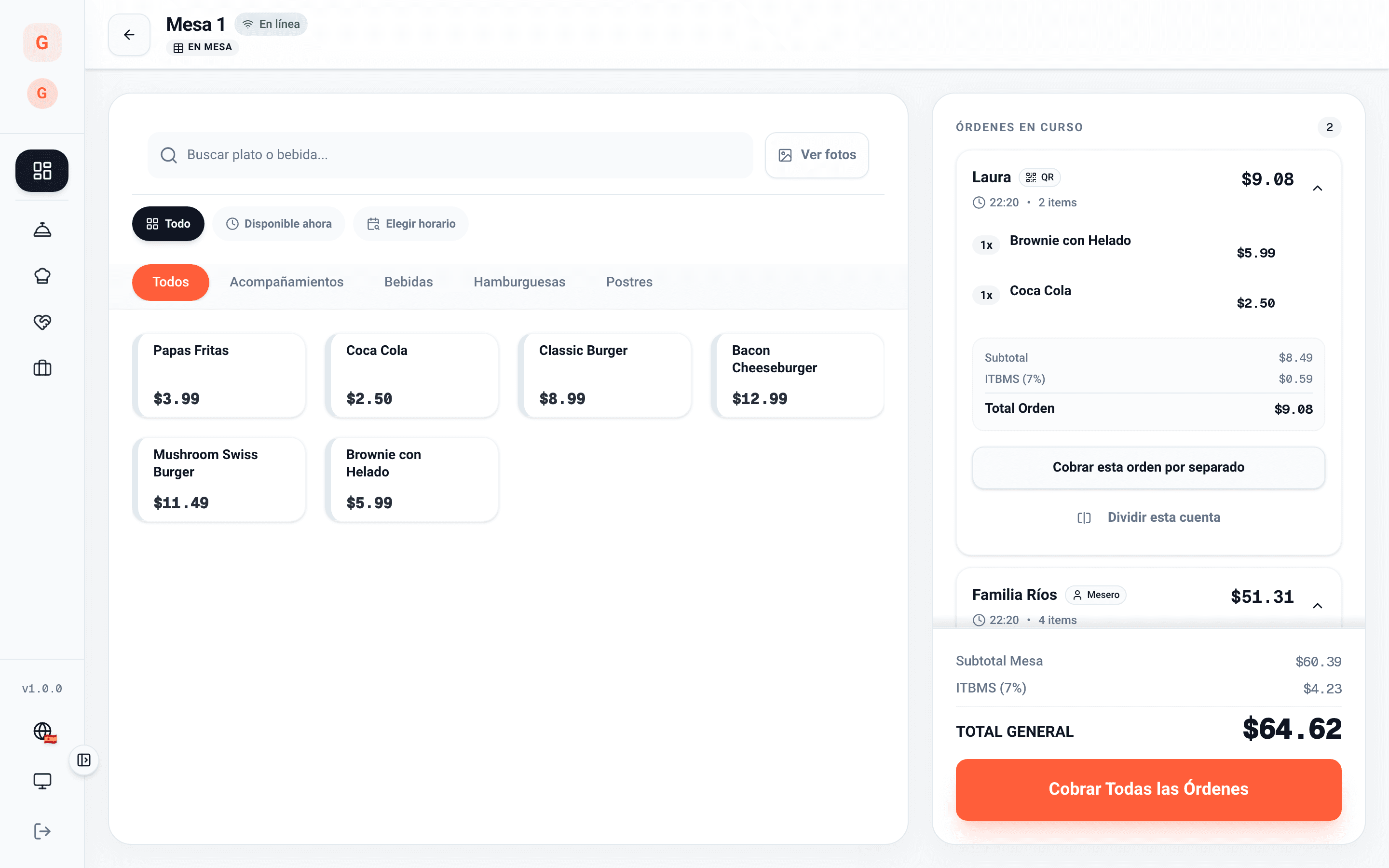
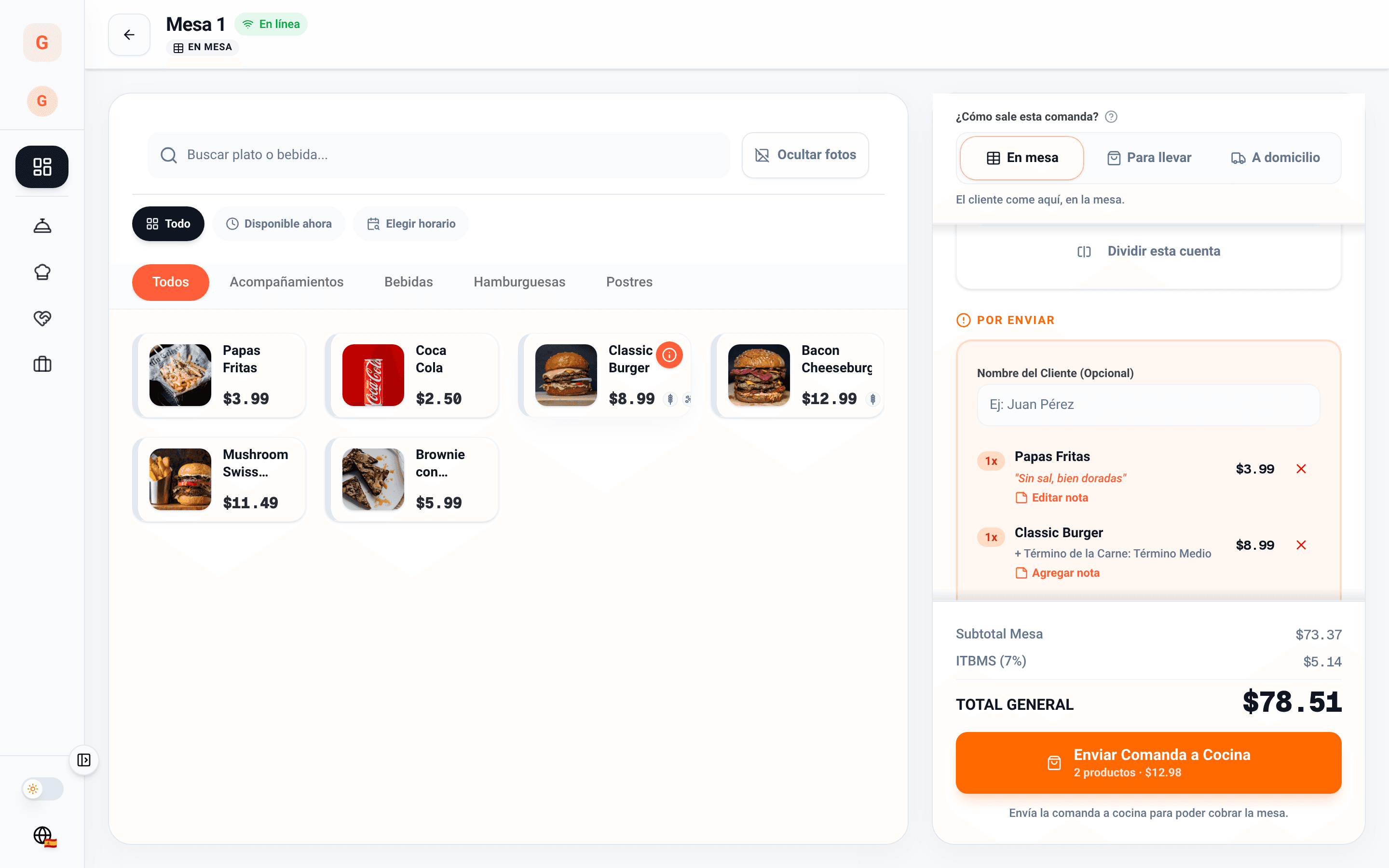
Table 1 order pad: catalog with photos, two items to send with a note and the Send to kitchen button

Updated on

Fewer trips, zero lost orders

What is ordered reaches the kitchen as is, and what is charged matches what was served.

  • Fewer trips

    The guest can also order from the QR at the table, and the order lands on the same ticket as the waiter’s.

  • Zero lost orders

    Whatever is sent reaches the kitchen display or the printer of each station, notes included.

  • Charging without the mess

    Split, merge or charge separately, with your country’s ITBMS and every payment method in its place.

Floor and tables

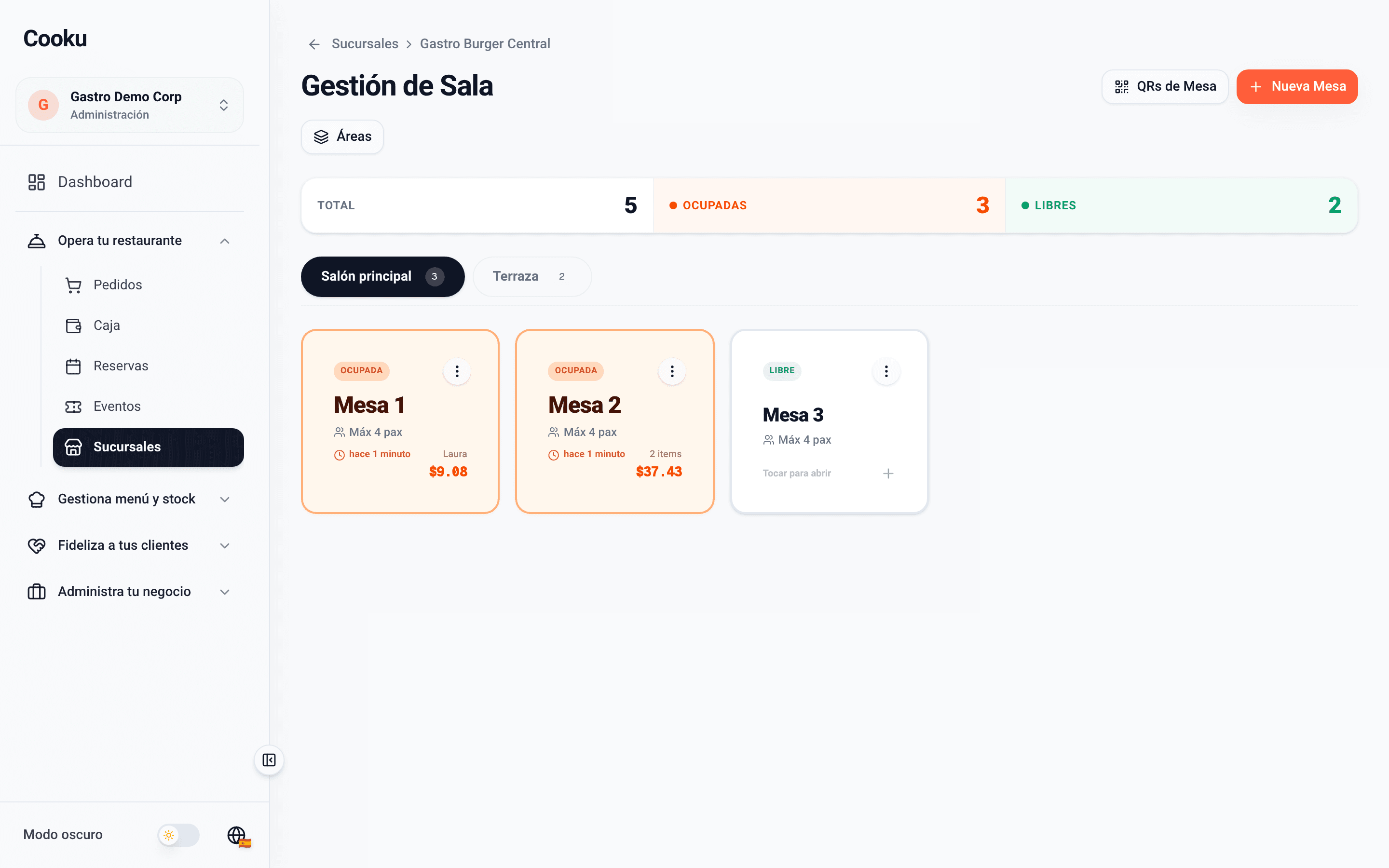
The whole floor, at a glance

  • Tables by area: dining room, terrace, bar.
  • Every table shows whether it is free, busy or reserved, how long it has been seated and its running total.
  • One tap on the table opens its order pad.
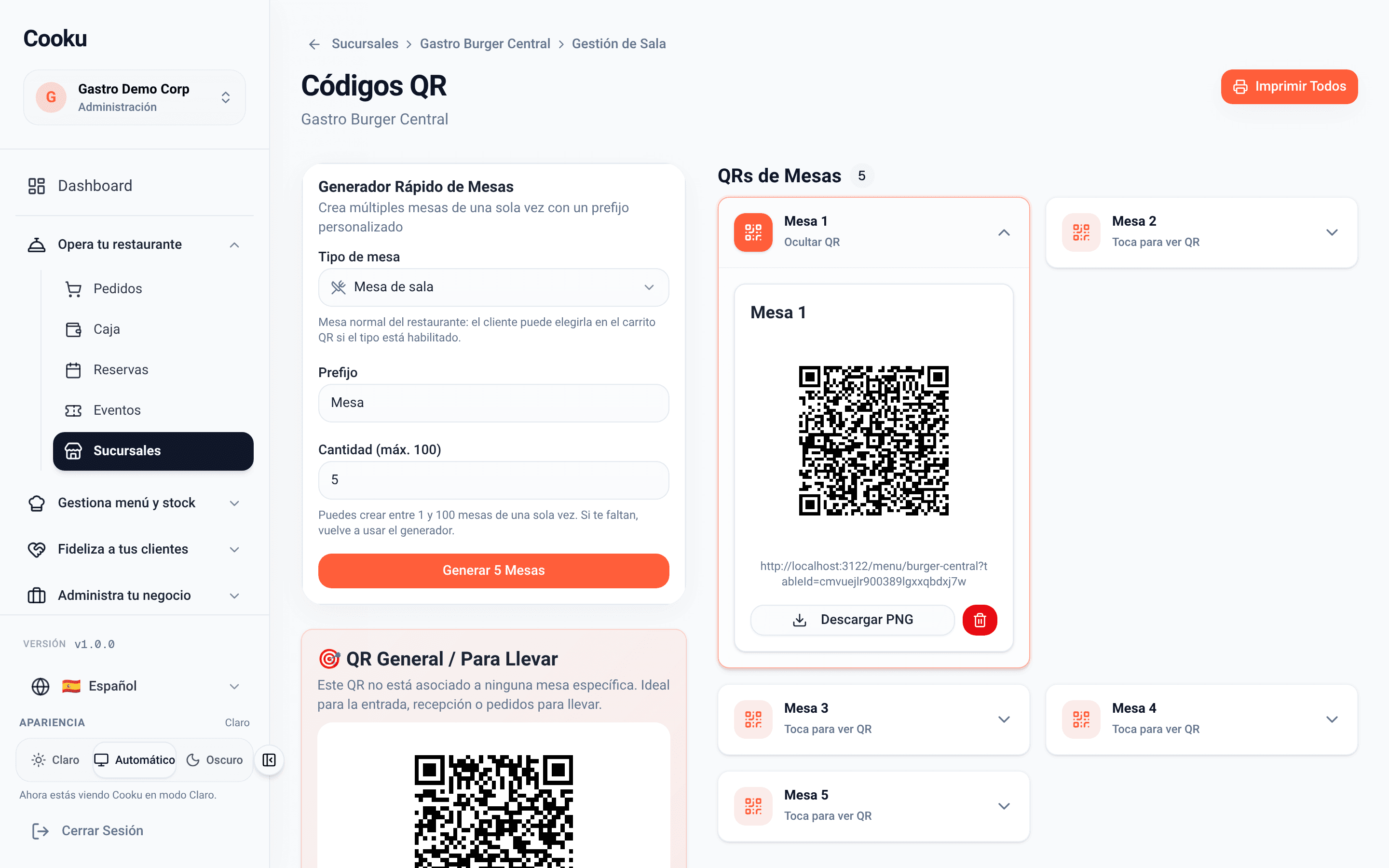
  • One QR per table, ready to print.
Floor management: 3 of 5 tables busy, with Main room and Terrace areas
The floor
QR code of Table 1
Each table’s QR

Order pad

Built for the pace of the floor

  • Search, categories and photos to find every dish fast.
  • Options and one note per item: “no salt, extra crispy”.
  • Dine-in, takeout or delivery from the same screen.
  • What’s pending always in view, and off to the kitchen with one tap.
  • Your country’s tax already calculated: ITBMS.
Table 1 order pad: catalog with photos, two items to send with a note and the Send to kitchen button

QR at the table

The guest also orders from the table

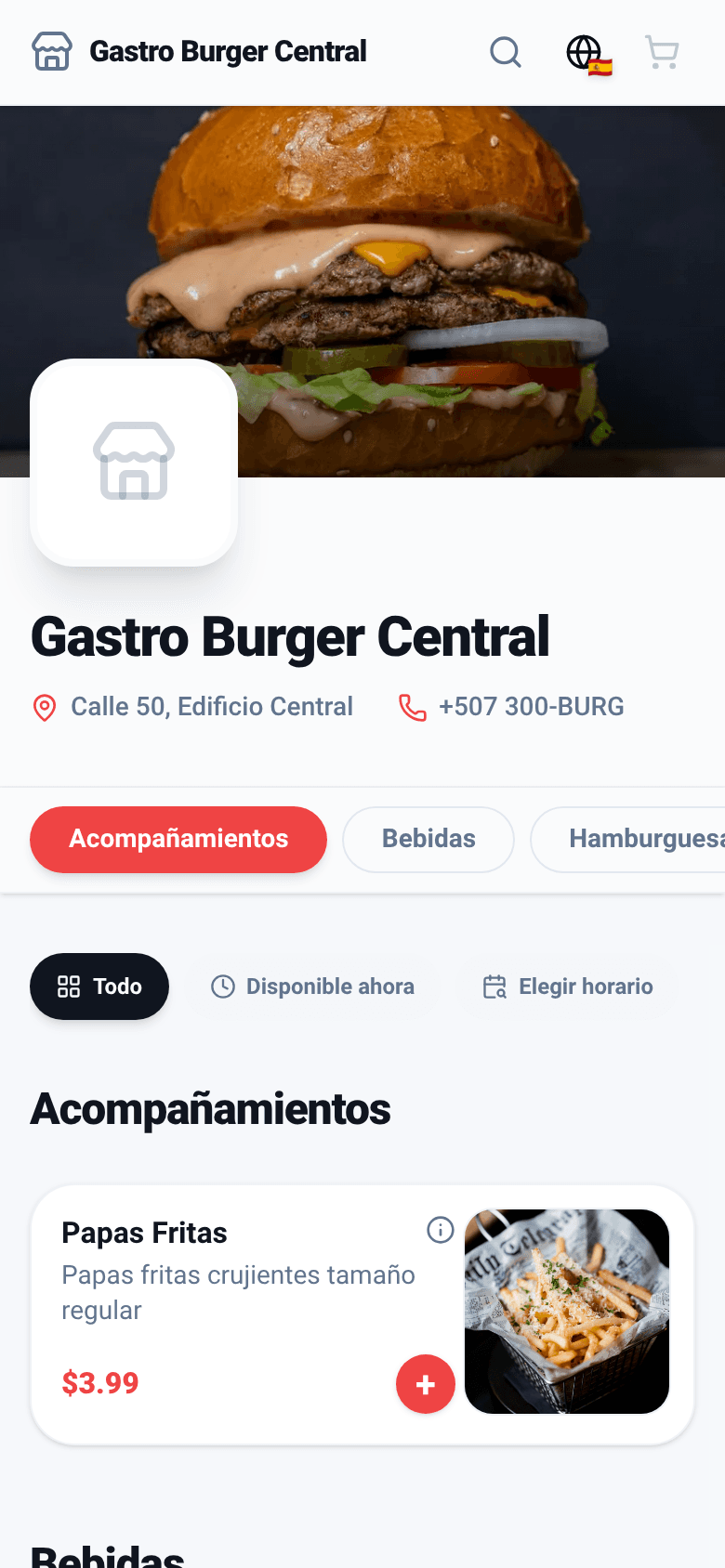
  • Scan the QR, see the menu with photos and order.
  • The order lands on the table’s ticket tagged “QR”, next to the waiter’s.
  • The waiter accepts it and it goes to the kitchen like any other.
  • If you want, the guest pays from their phone before confirming.
Digital menu opened from the table QR
The guest, on their phone
Table 1 ticket with Laura’s order tagged QR and the Ríos family’s tagged Waiter
The waiter, on the order pad

Kitchen and printing

The kitchen gets it instantly, on screen or on paper

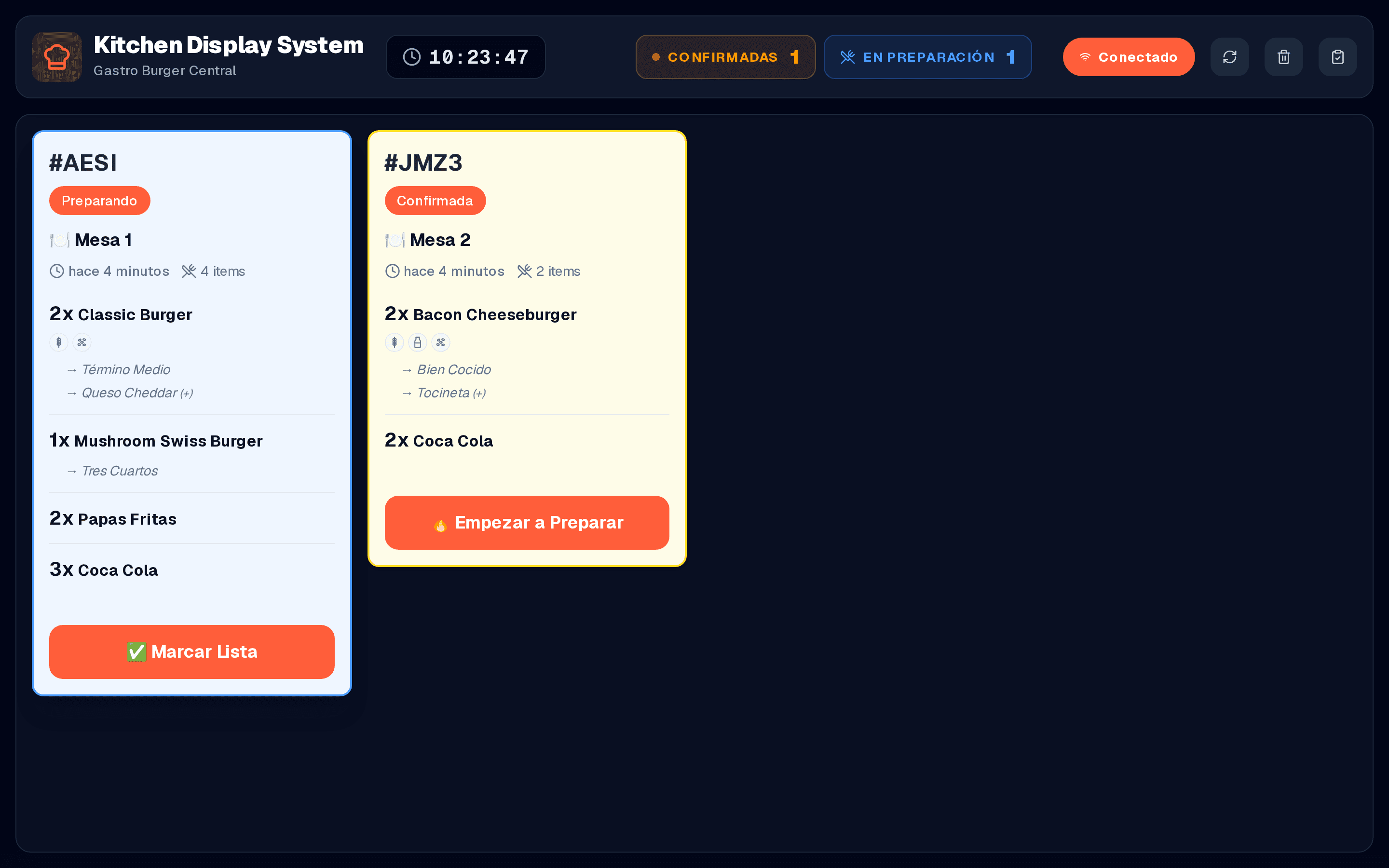
  • Kitchen display: every order with its table, its options and its timer. One tap and it’s done.
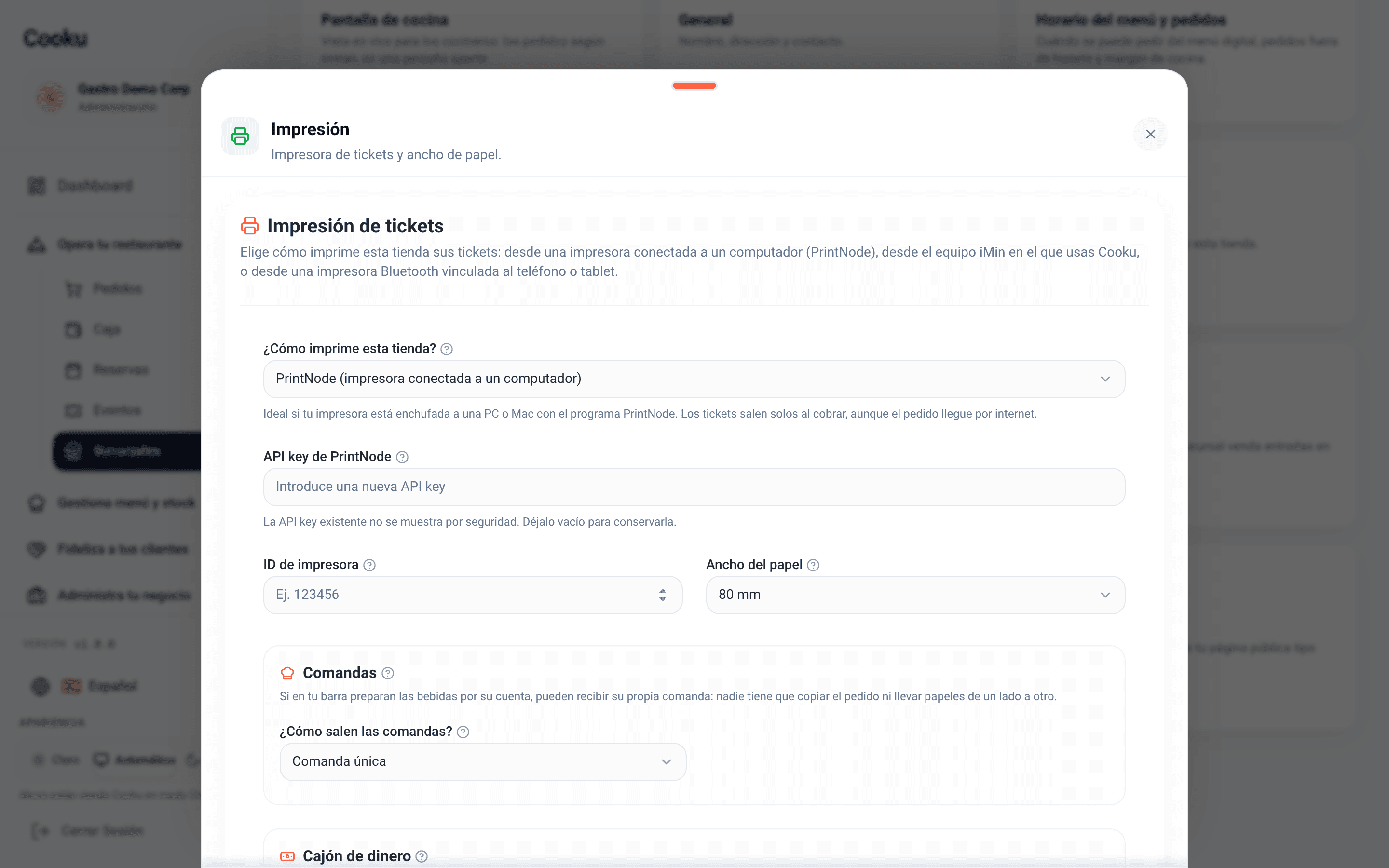
  • Printer on a computer, an iMin device or Bluetooth; a single ticket or one per station (bar and kitchen), receipt and cash drawer.
Kitchen display with the orders of Table 1 and Table 2
Kitchen display
Printing settings: PrintNode, iMin or Bluetooth, paper width and tickets
Printing

Charging

Charge the way the table asks

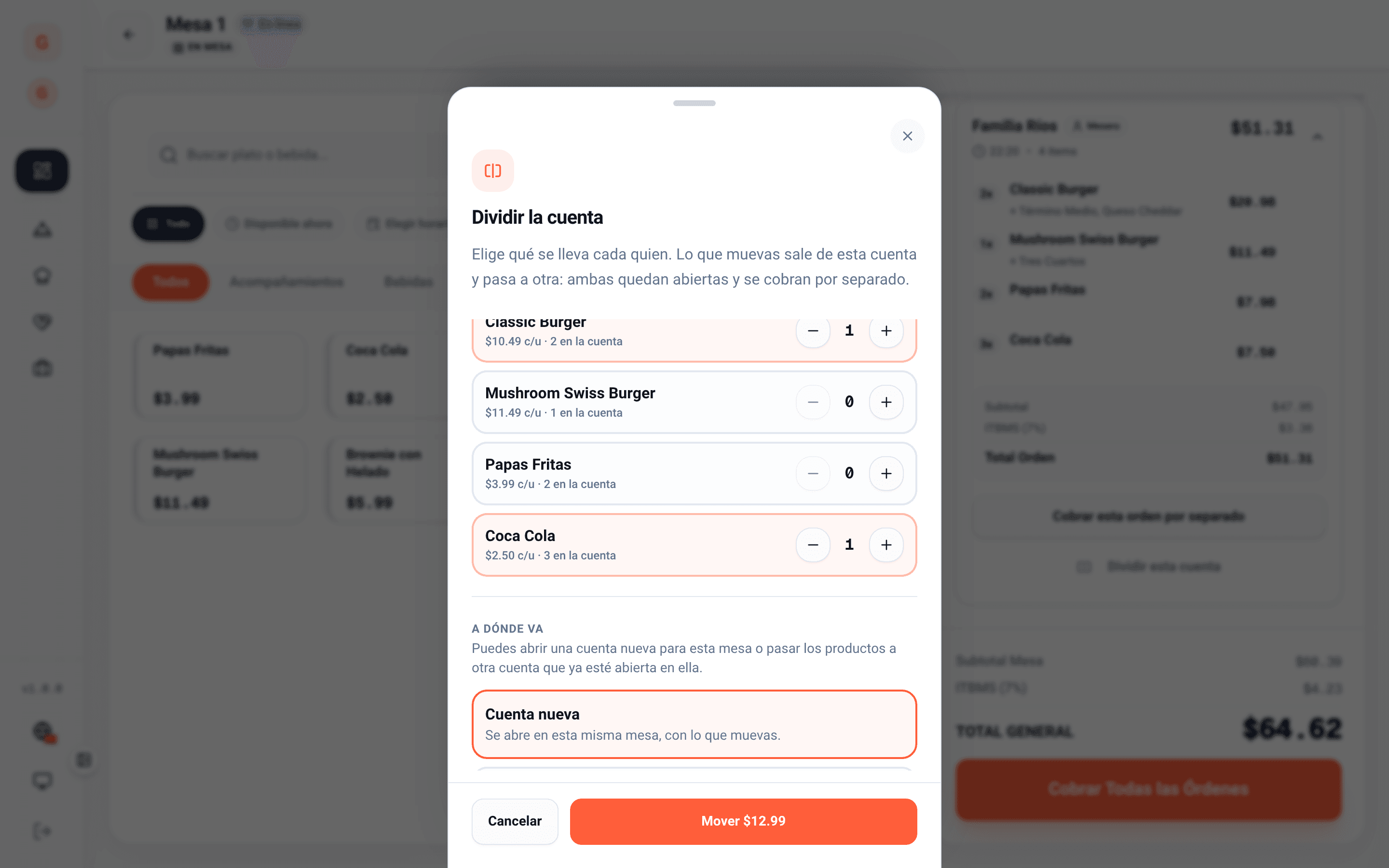
  • Split by items or in equal parts.
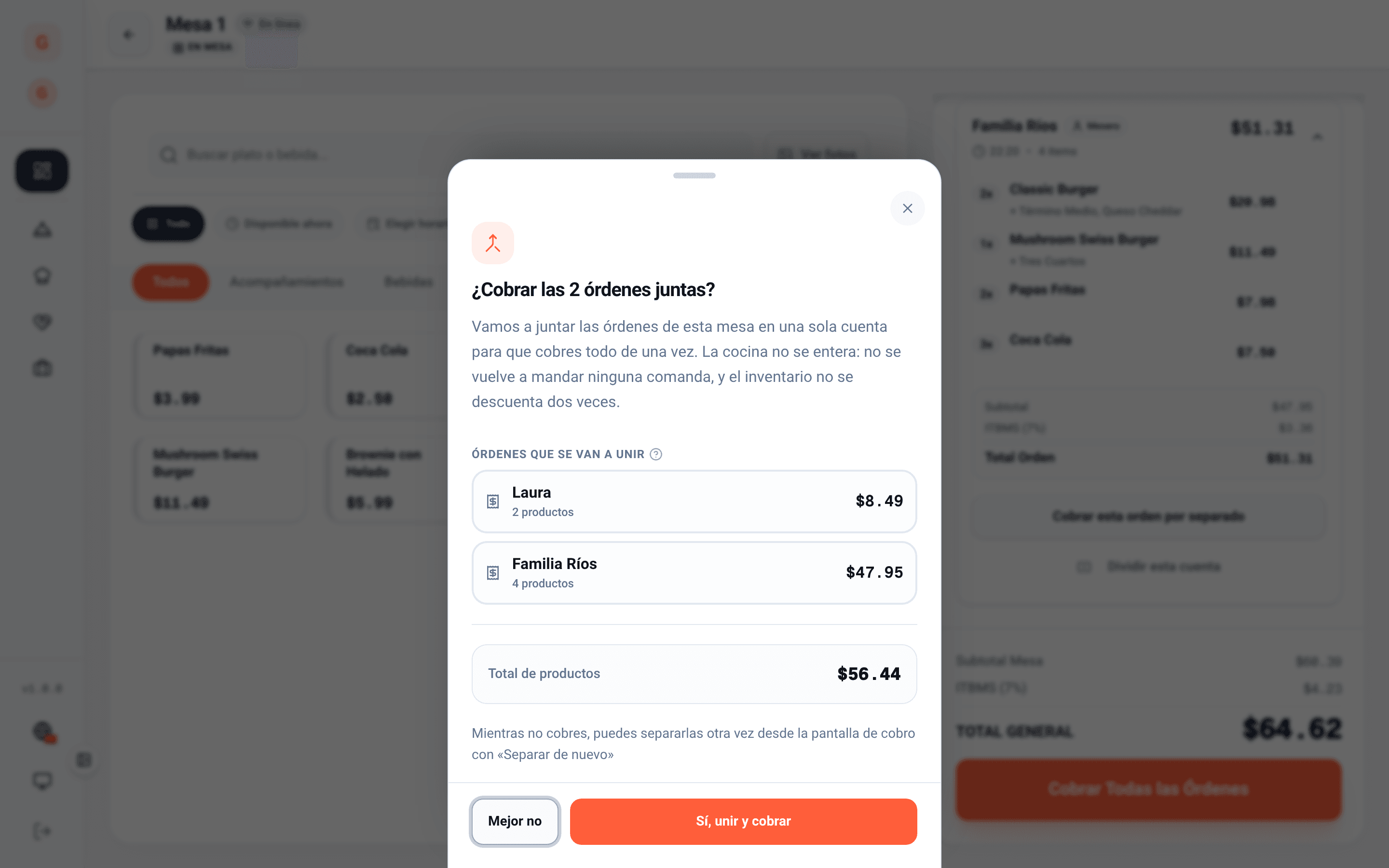
  • Merge the table’s orders and charge once, without repeating tickets or deducting inventory twice.
  • Cash, card terminal, online card, Yappy or bank transfer, even combined.
  • With the card terminal, you note the card brand (Visa, Mastercard, Amex or other) with one tap.
  • On the board you filter by table type and by payment, and see at a glance what is still unpaid.
  • Printed receipt, cash drawer and service charge if you use it.
Split the bill: choose which items go to a new check
Split the bill
Charge both orders of the table together
Merge and charge once

What changes in service

Table, kitchen and register share the same ticket: nobody copies anything twice.

  1. 1

    One check per table

    What the waiter ordered and what the guest ordered by QR live on the same ticket, each with its origin tagged.

  2. 2

    A paperless kitchen

    Each station sees its own items with timers and notes; if you prefer paper, print one ticket per station.

  3. 3

    A register that adds up

    Every payment is recorded with its method and its tip, ready for the count and the daily close.

Free

It's in the Free plan

Free forever, no card needed

The order pad, tables with QR and charging are in the Free plan. The kitchen display arrives with Starter.

  • POS with several orders per table and split bills
  • One QR per table and guest orders on the same ticket
  • Ticket and receipt printing
  • Starter: kitchen display (KDS)

Dining room questions

Do I need to buy tablets or a special POS?
No. The order pad runs on any tablet or phone with a browser. If you already own a thermal printer, you connect it through a computer, an iMin device or Bluetooth.
What if the guest orders by QR and the waiter does too?
Both orders land on the same table ticket, each tagged with its origin. The waiter accepts the QR order and it goes to the kitchen like any other.
Can I split the bill?
Yes: by items or in equal parts. You can also merge several orders of the table and charge them at once, without deducting inventory twice.

Your floor, without lost orders.

Create your free account, print your tables’ QR codes and take the first order today.

Let’s talk

Want to see the POS and the kitchen display running with your menu?

Leave your WhatsApp number and we’ll reach out to get it running.

We’ll only use your number to talk about Cooku. Zero spam.

Prefer to write us directly? WhatsApp +507 6926-6374