

Reservations and events

Full tables and special nights, no notebook, no phone calls.

Your guests book on their own, the host sees the whole day and your events sell their tickets online. All under your brand and connected to your tables.

  • 0% commission per order
  • No special hardware
  • Ready in a day
Reservations page: Dinner schedule, area, Friday October 30 and available times

Updated on

Booking should be as easy as ordering

No WhatsApp messages at 11 pm, no empty tables that somebody booked twice.

  • Bookings around the clock

    Your branded reservations page: the guest picks a schedule, an area and a time that really has room.

  • The host sees everything

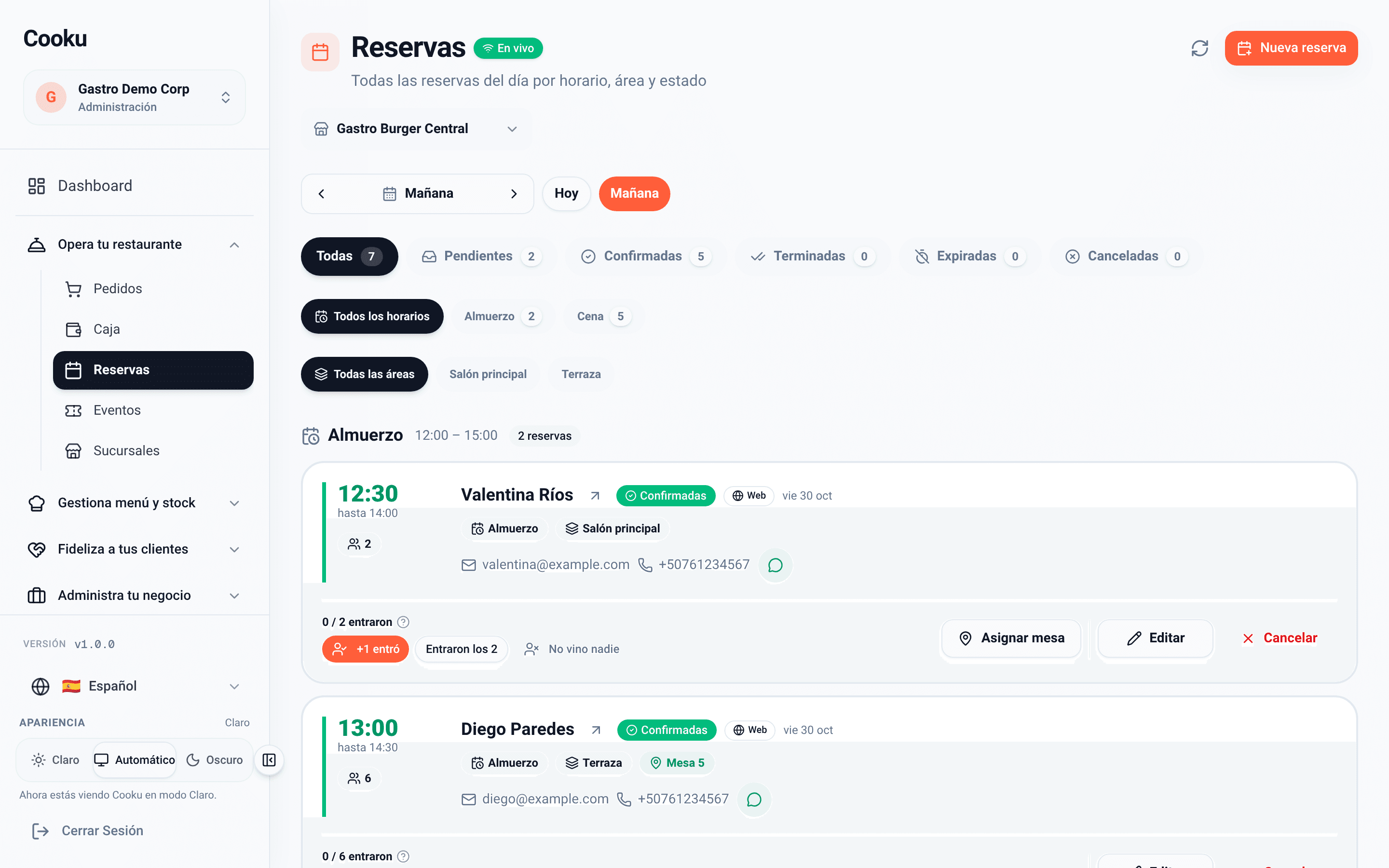
    The day by schedule and area: confirm, assign tables and record who arrived.

  • Ticketed events

    Sell tickets online, by type and with capacity, and run the door from your phone.

Reservations page

The guest books alone, by your rules

  • Your reservations page with its own title and description for each branch.
  • Several named schedules, such as lunch and dinner, each with its days, seatings and capacity.
  • Pick an area, a date and a party size, and see only the times that have room.
  • Capacity is counted by guests: two customers never take the same last seats.
  • With the confirmation link, the guest changes or cancels the booking.
  • New: guests can also book from ChatGPT and Claude; the booking stays pending until you confirm it.
  • A deposit to confirm the booking, charged with Stripe.

Example: Lunch · every day, 12:00 to 15:00, 90-minute seatings, up to 40 guests. Dinner · Thursday to Saturday, 18:00 to 23:00, 2-hour seatings, up to 60 guests.
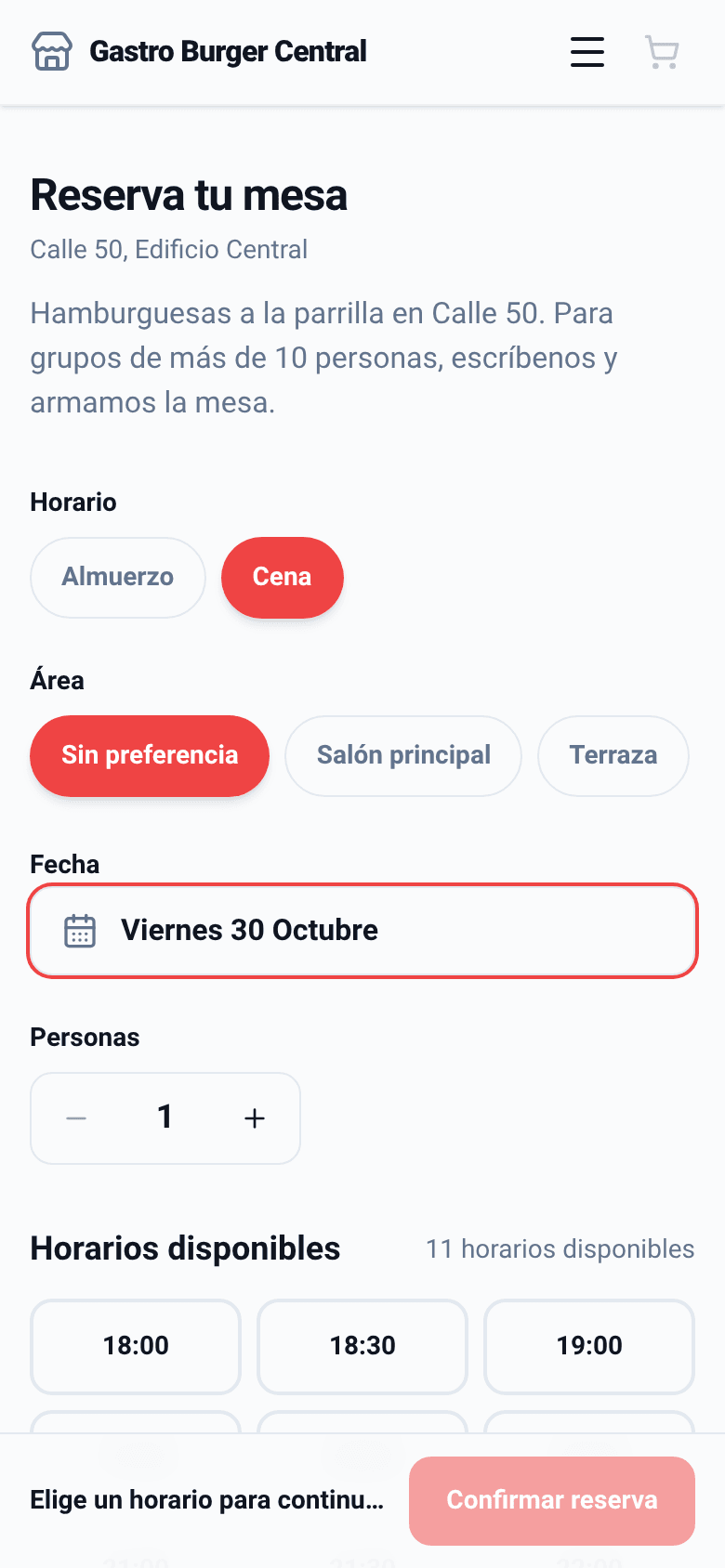
Reservations page: Dinner schedule, area, Friday October 30 and available times

Host panel

The whole day, by schedule and by area

Confirm, seat a party at one or several tables, mark who arrived and message them on WhatsApp. When the seating ends, the booking closes on its own.

  • Filters by status, schedule and area, with a card per booking.
  • A large party is seated at several tables at once.
  • The booking leads to the table’s ticket when the party arrives.
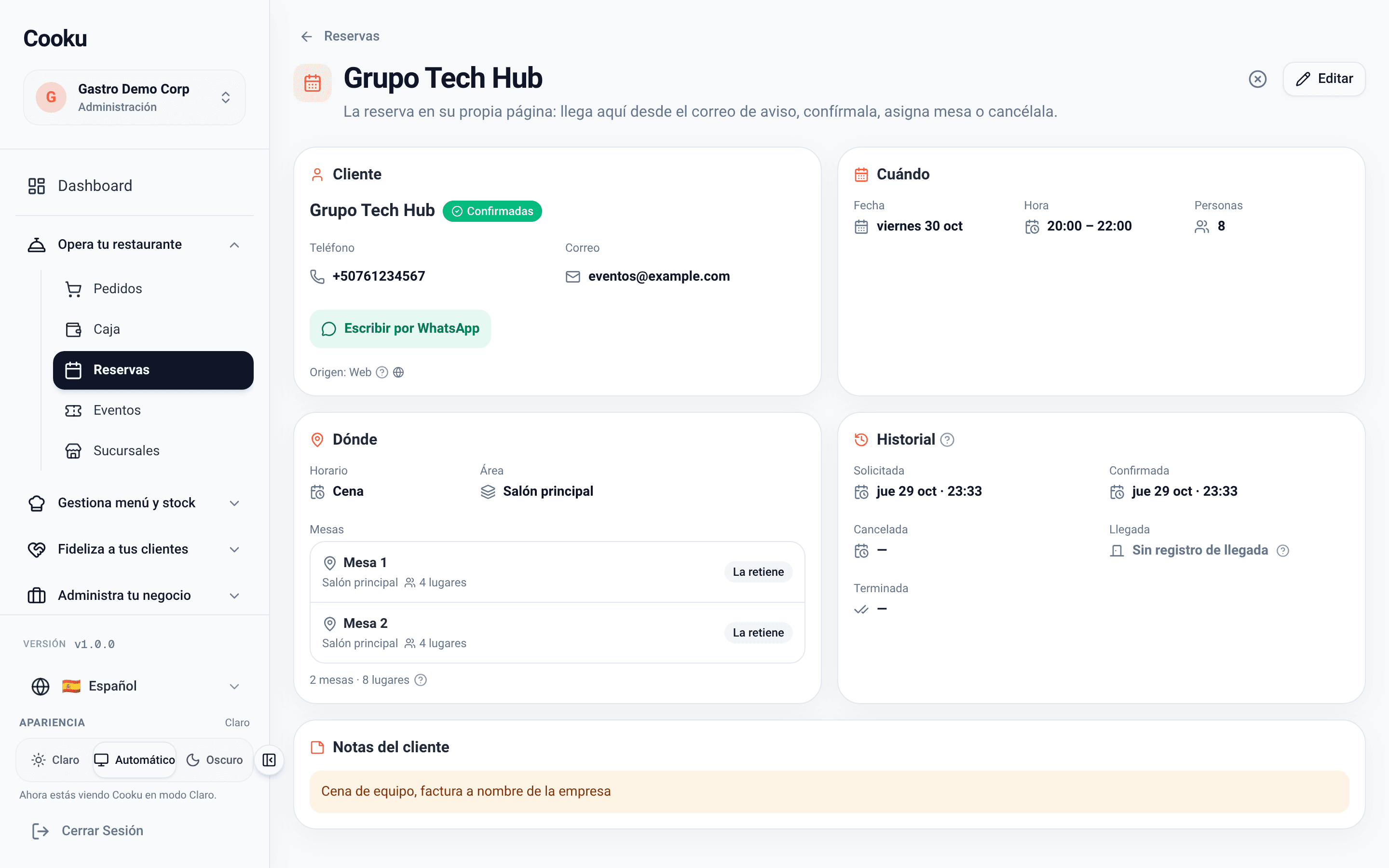
Friday reservations panel: 7 bookings, filters by status, schedule and area, and a card per booking
The host’s day
A party of 8 seated at Table 1 and Table 2
One party, two tables

Ticketed events

Your special nights sell their own tickets

  • A public, branded listing and one page per event.
  • Several ticket types, each with its price, capacity and maximum per purchase.
  • The guest buys without creating an account, and a free event skips the gateway.
  • At the door: search by name or code and let people in from your phone.
  • Tickets show up on their own line of the cash close.
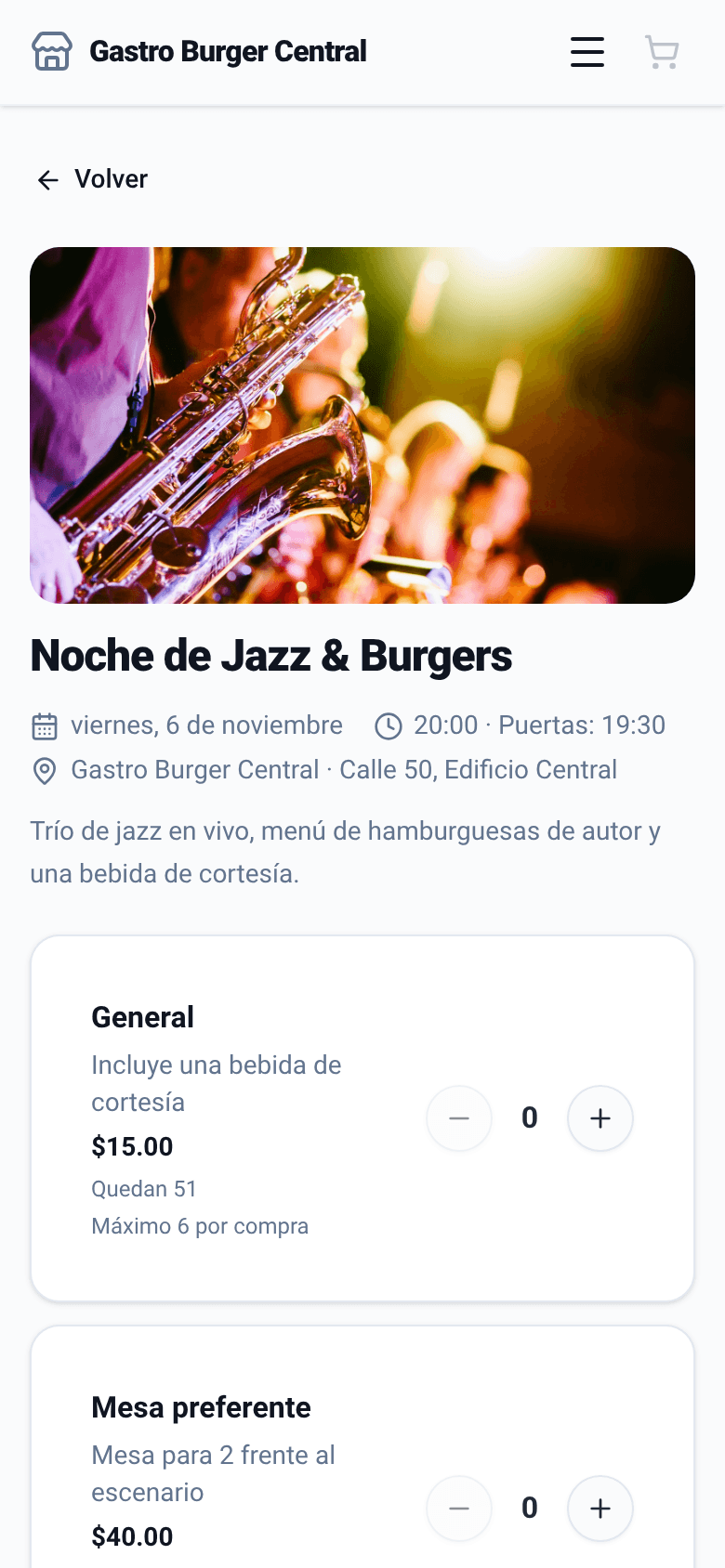
Public page of the Jazz & Burgers Night event with two ticket types
The event page
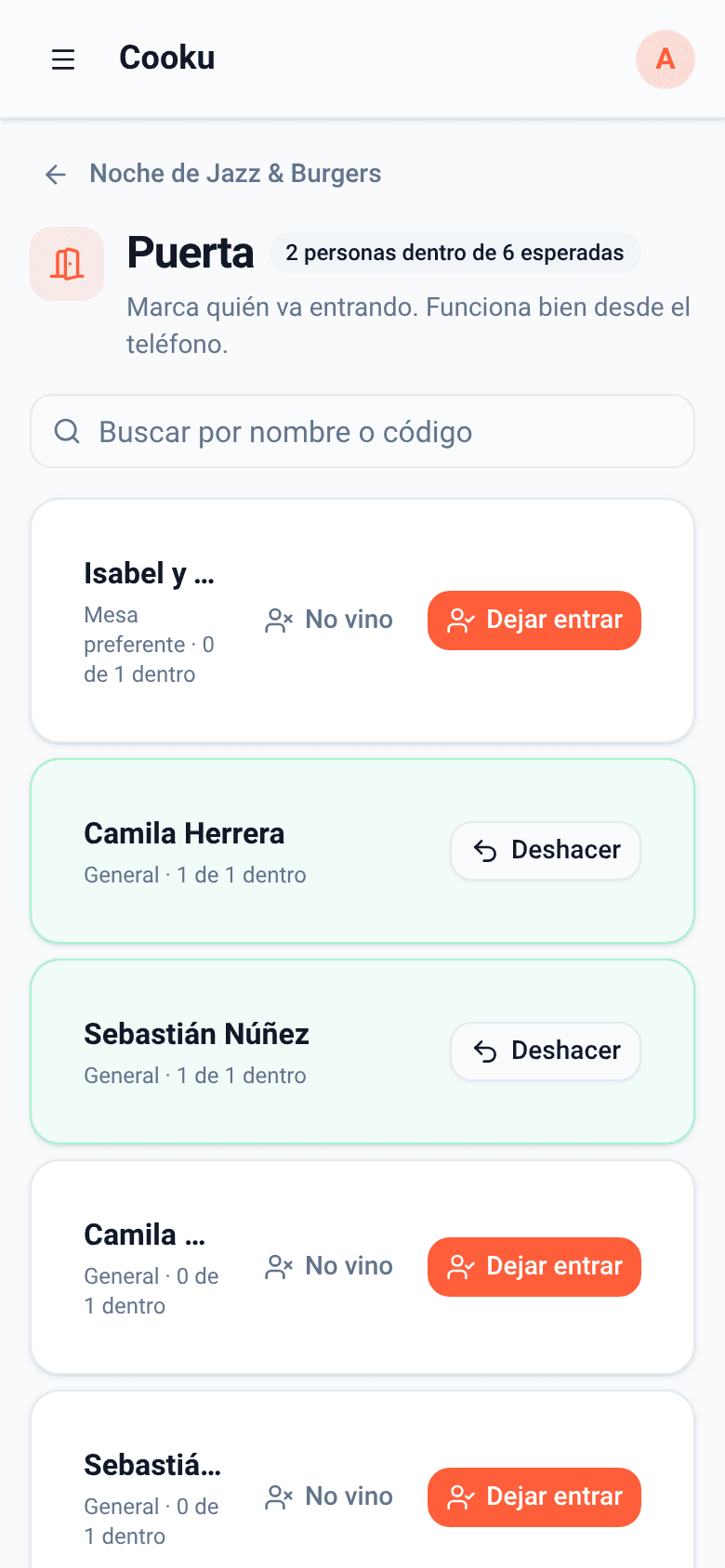
Door control: 2 people in out of 6 expected
The door, from the phone

What changes in your evenings

Bookings and tickets stop living in a notebook and move into your floor and your register.

  1. 1

    No double bookings

    Guest-based capacity and timed seatings keep two customers from taking the same seats.

  2. 2

    The floor knows who’s coming

    The booking shows on the assigned table, and when the party arrives the ticket is already open.

  3. 3

    Tickets that add up

    Every ticket sold online shows in the daily close on its own line.

Starter

It's in the Starter plan

MXN 579 a month, VAT included

Online reservations and ticketed events start with the Starter plan.

  • Branded reservations page with schedules and capacity
  • Host panel by schedule and area
  • Ticketed events and door control
  • Plus kitchen display and WhatsApp notices

Reservations and events questions

Does the guest need an app to book?
No. They book from your public page in their phone’s browser, without creating an account. They get a link to change or cancel the booking.
Can I charge a deposit to confirm the booking?
Yes. The deposit is charged with Stripe when the booking is confirmed.
Does it work for selling tickets to a dinner or a tasting?
Yes. Create the event with its ticket types, price and capacity; the guest buys online without an account and at the door you look them up by name or code from your phone.

Fill your tables without answering the phone.

Create your account, publish your reservations page and share the link on your socials today.

Let’s talk

Want to see reservations and events running with your menu?

Leave your WhatsApp number and we’ll reach out to get it running.

We’ll only use your number to talk about Cooku. Zero spam.

Prefer to write us directly? hola@usecooku.com