


Artificial intelligence

AI does the heavy lifting, you decide.

Your printed menu becomes a catalog, a photo of an invoice becomes a purchase and your customers order from ChatGPT or Claude. Nothing is saved without your review, and it all lives in the same system as your kitchen and your till.

  • 0% commission per order
  • No special hardware
  • Ready in a day
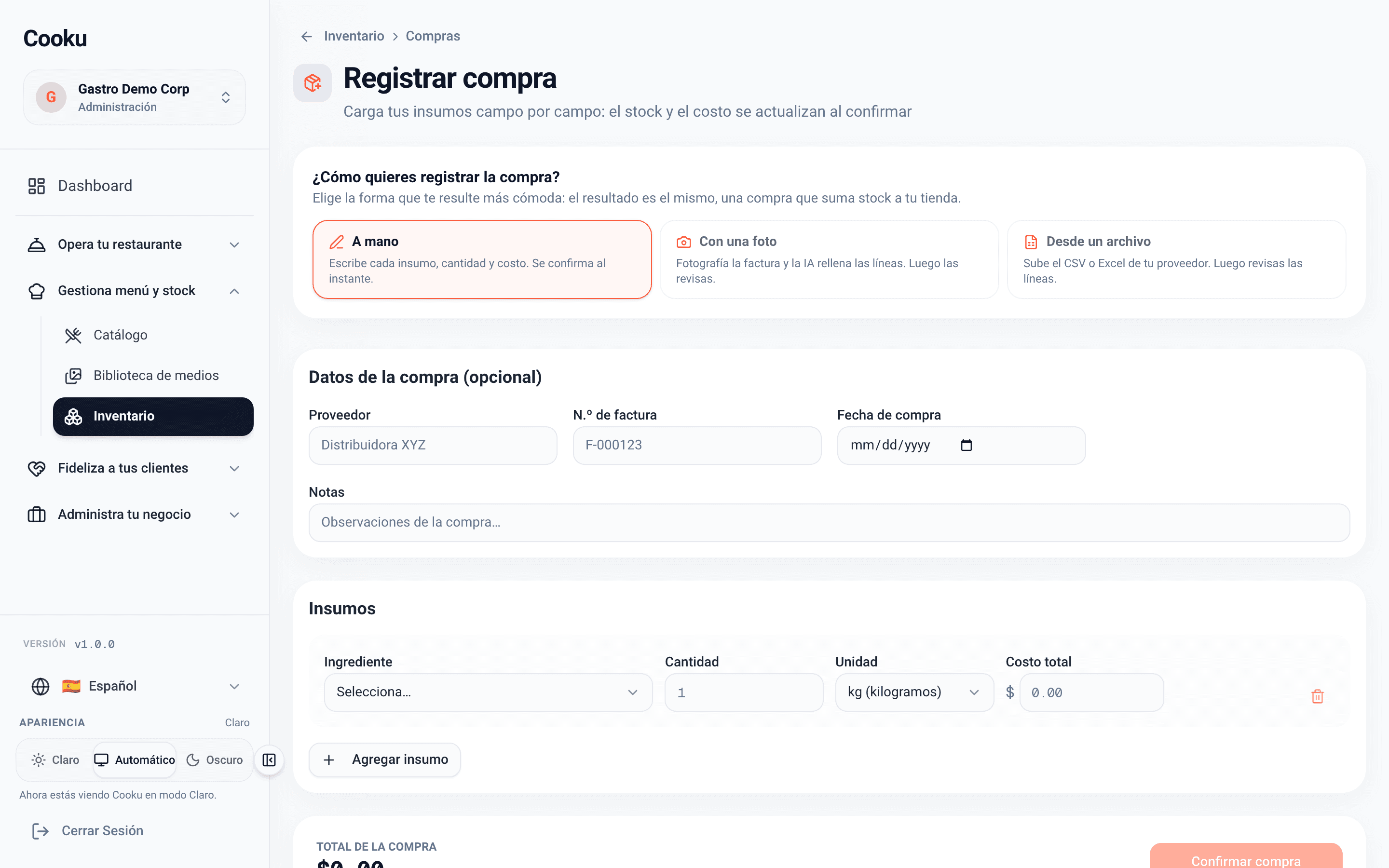
Log a purchase in Cooku: by hand, from a photo of the invoice or from a file

Updated on

AI where it saves hours, not where it gets in the way

Typing in the menu, keying in invoices and building reports eat up the week. Cooku uses AI for that; the decisions stay yours.

  • No more typing

    The menu and purchase invoices are read from a photo; you just review.

  • Where your customers already are

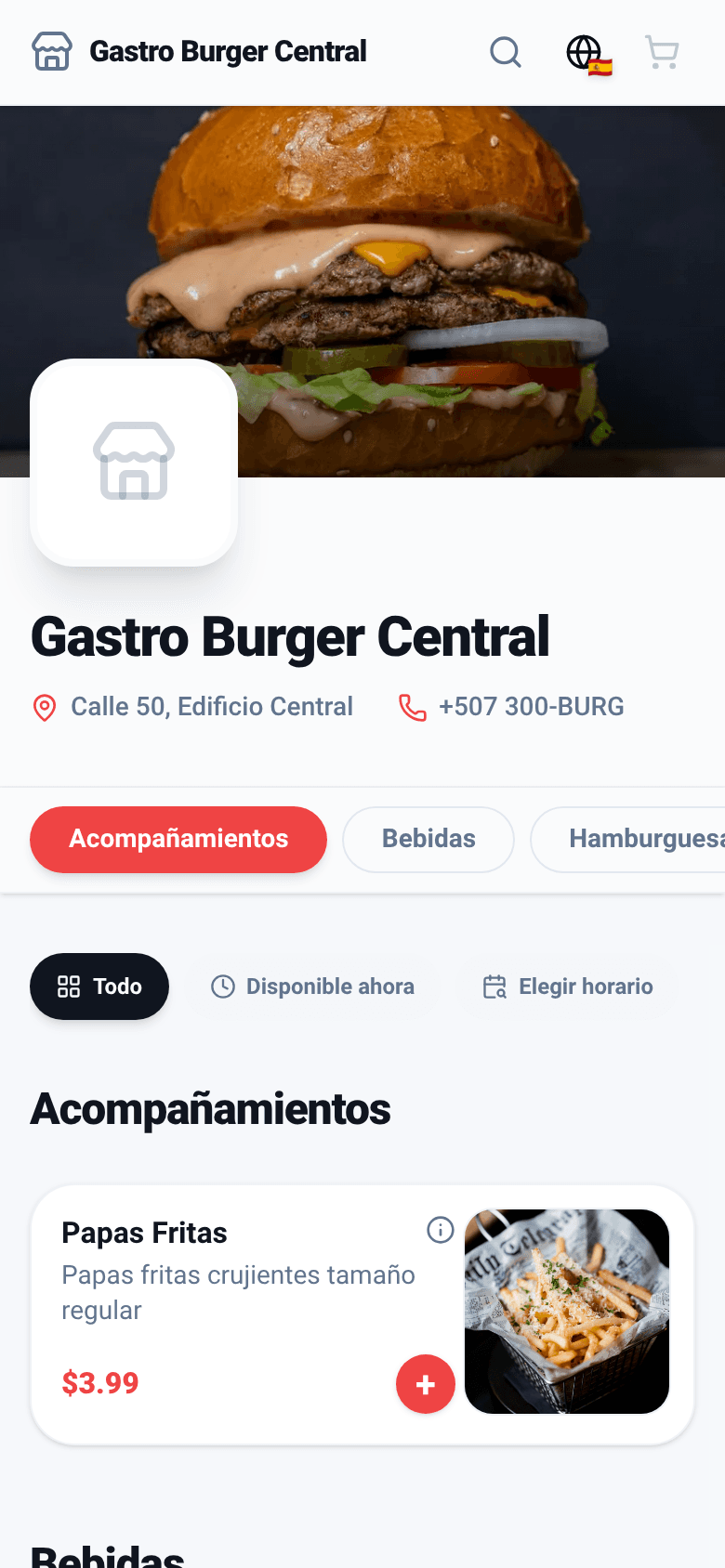
    ChatGPT and Claude can find your restaurant, read your up-to-date menu and order or book.

  • Answers, not reports

    Ask in your own words how much you sold, what earns the best margin or what is running low.

Scan your menu with AI

From the printed menu to your catalog, in minutes

  • Up to 8 photos per scan, one per page.
  • It builds products, prices, categories, options and extras, plus allergens when the menu states them.
  • It only transcribes what is printed: it never invents dishes or prices.
  • If a product already exists in your catalog, it updates it instead of duplicating it.
  • Nothing is saved until you review and confirm it.

Starter: 5 scans a month; Pro: 20. A scan that fails completely doesn’t count.

  • 1 · Photos of the menu

    From your phone or computer, straight on and well lit.

  • 2 · Review your catalog

    Products, options and collections in tabs, with notices about what to double-check, such as whether prices include tax.

  • 3 · Create your catalog

    Confirm it and it’s ready for the QR menu, the POS and the kitchen.
Purchases from a photo

The supplier’s invoice becomes a purchase

  • Take a photo of the invoice and the AI fills in the lines: ingredient, quantity and cost.
  • Review and confirm; the purchase adds stock and updates the cost of your dishes.
  • Every day, an AI-written summary of consumption, waste and stock. Cooku does the math; the AI only explains it.

Pro plan: up to 200 invoices a month. The daily summary is switched on in the inventory settings.

Log a purchase: by hand, from a photo or from a file

Orders from AI assistants

New

Your customers order from ChatGPT and Claude

More and more people ask their AI assistant where to eat. With Cooku, the assistant finds your restaurant, reads your up-to-date menu and places the order or booking on your customer’s behalf.

  1. Finds your restaurant
  2. Reads your menu
  3. Quotes the total
  4. Orders or books
  • Prices, options, allergens and hours come from your real menu: the assistant makes nothing up.
  • Cooku works out the total with VAT, packaging and delivery, and the customer confirms it before ordering.
  • If you require prepayment, your customer pays on your payment link, never inside the chat.
  • Bookings stay pending until you confirm them.

From the Starter plan, for takeout and delivery orders. Orders and bookings are switched on separately for each branch.

  • For your customer

    Nothing to download and no Cooku account: they confirm their email with a 6-digit code.

  • For your kitchen

    The order lands on the board and the kitchen display like any other.

  • For you

    No commission per order, and per-customer limits so nobody abuses it.

Your business in Claude and ChatGPT

New

Ask your numbers, in your own words

Connect Cooku to Claude or ChatGPT and ask the way you’d ask your accountant. The assistant looks up your real data and answers with figures.

  • Sales by day, payment method, order type and delivery app.
  • Comparisons against the previous period or the same one last year.
  • Best sellers, margins, inventory alerts, cash closes and reservation occupancy.
  • Read-only: the assistant can’t change anything, create orders or see card data.
  • You choose which businesses to share and disconnect any time from Settings → Integrations.

For admins and managers. The assistant sees the history your plan includes.

  • “How much did I sell this weekend vs. last?”

    Sales compared by day and by channel.

  • “Which dish earns the best margin?”

    Gross margin using your recipe costs.

  • “Did the till balance on Saturday?”

    Z closes with their cash differences.

What changes with Cooku’s AI

Fewer hours typing, a new order channel and answers when you need them.

  1. 1

    Your menu online the same day

    Scan the menu, review and publish, without typing it in dish by dish.

  2. 2

    Purchases without typing

    The invoice is read from a photo and your dishes’ cost updates with every purchase.

  3. 3

    A new channel, no commission

    Whoever asks ChatGPT or Claude where to eat can end up ordering from your restaurant.

Starter

It's in the Starter plan

MXN 579 a month, VAT included

Menu scanning and orders from AI assistants start with Starter. Invoice reading and the AI daily summary arrive with Pro. Asking your numbers from Claude or ChatGPT and the AI-readable menu are in every plan.

  • AI menu scanning: 5 a month (Pro: 20)
  • Orders and bookings from ChatGPT and Claude
  • Pro: AI invoice reading (200 a month)
  • Pro: AI-written daily inventory summary

Questions about Cooku’s AI

Can the AI change my menu or prices on its own?
No. Scanning builds a draft you review before anything is created; invoice reading fills in a purchase you confirm; and the Claude or ChatGPT connection to ask about your numbers is read-only.
What does my customer need to order from ChatGPT or Claude?
Just their assistant with the Cooku connector. They confirm their email with a 6-digit code, no account needed. If your branch requires prepayment, they pay on your payment link in their browser: the assistant never sees card data.
How many scans and invoice readings does my plan include?
Starter includes 5 menu scans a month and Pro 20. AI invoice reading is in the Pro plan, up to 200 a month. Quotas renew every month and a scan that fails completely doesn’t count.
Do I have to switch anything on to take orders from AI assistants?
Yes, per branch: in Branches → Operations you switch on orders, and in the reservations tab, bookings. While they are off, your restaurant doesn’t show up in the assistants’ searches.

Put AI to work in your restaurant.

Create your free account today; menu scanning and orders from AI assistants come with Starter.

Let’s talk

Want to see Cooku’s AI running with your menu?

Leave your WhatsApp number and we’ll reach out to get it running.

We’ll only use your number to talk about Cooku. Zero spam.

Prefer to write us directly? hola@usecooku.com